
Search Knowledge Base by Keyword
CoinMarketCap API Review (2026): Features, Pricing, Setup Guide, and Honest Pros & Cons
A developer-focused review of the CoinMarketCap API: what it does, how to set it up, what every plan actually gives you, and where it wins or falls short against the alternatives.
Quick verdict (TL;DR)
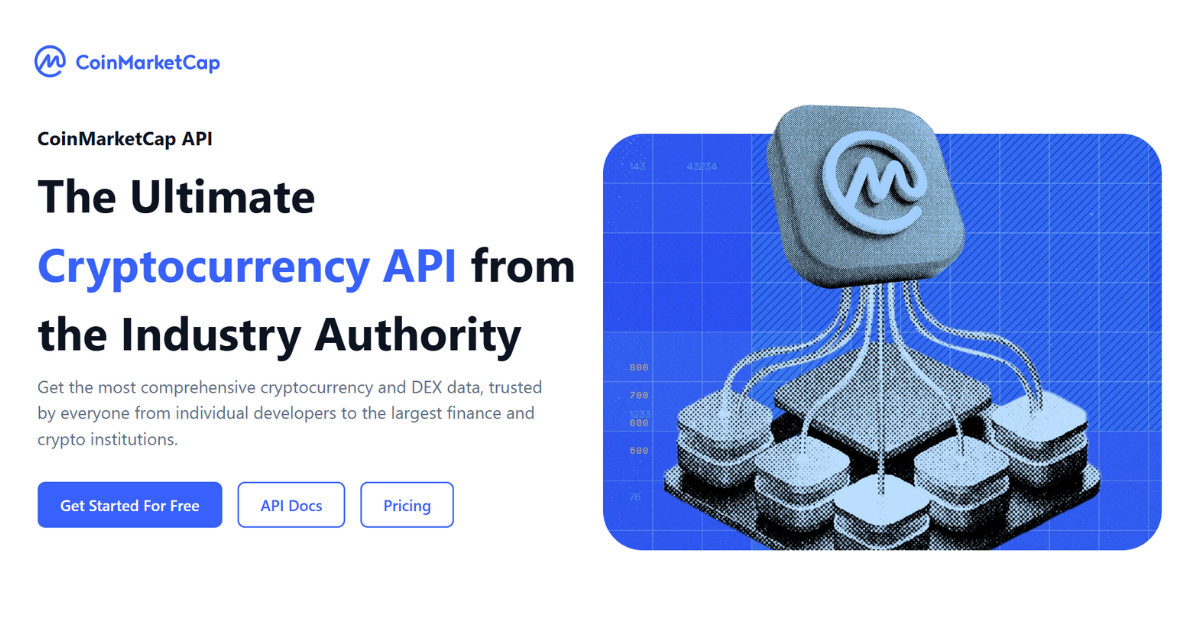
The CoinMarketCap API (often called the “CMC API” or “CoinMarketCap Pro API”) is one of the most widely used cryptocurrency market-data APIs in the industry. It delivers real-time and historical prices, market caps, volumes, exchange data, global metrics, on-chain DEX data, and a growing set of AI-agent tools through a single REST interface authenticated with an API key.
Should you use it?
Best for: production apps, dashboards, wallets, portfolio trackers, and analytics tools that want a trusted, brand-recognized data source with broad coverage (50M+ tokens, 940+ exchanges, roughly 16 years of history) and enterprise-grade compliance (ISO/IEC 27001, 27701, SOC 1 and SOC 2).
Weakest for: collection-level NFT data (CoinMarketCap only exposes NFT-linked tokens in market data) and low-latency data on a budget (real-time only starts at CMC’s $95/mo Startup tier).
Free tier: 15,000 monthly call credits, 50 requests/minute, roughly 60 endpoints, no historical data.
Paid plans: start at $35/month (Builder) and scale to $875/month (Professional), plus custom Enterprise pricing. Commercial licensing is included across all plans, from Basic to Professional.
If you want a recognized, reliable, well-documented crypto data source and can work within the credit model, the CMC API is a solid choice. If your priority is cheap historical data or predictable per-call pricing, compare it carefully against alternatives before committing (see the comparison section).
What is the CoinMarketCap API?
The CoinMarketCap API is the official data service from CoinMarketCap, the crypto price-tracking platform founded in 2013 and acquired by Binance in 2020. It exposes the same market data that powers CoinMarketCap.com (quotes, rankings, listings, exchange stats, global market metrics, and more) as structured JSON that developers can pull into their own products.
By CoinMarketCap’s own published figures, the API covers roughly:
- 50 million+ tokens tracked
- 940+ exchanges tracked
- Roughly 16 years of historical data
- 72+ API endpoints across ten endpoint families
- Roughly 1 billion API calls served monthly
It is used by large platforms including Google Finance, Binance, Coinbase, Yahoo Finance, Samsung, and Opera, which is a meaningful signal of reliability and data-licensing maturity, even if brand-name customers don’t tell you whether the API is the right fit for your project.
All requests go to the base domain https://pro-api.coinmarketcap.com over HTTPS, and most REST endpoints refresh on a roughly 1-minute cycle.
New in 2026
Tokenized real-world assets. CoinMarketCap now exposes tokenized equities, commodities, currencies, government securities, ETFs, and real estate through seven /real-world-assets/* endpoints on the same key and credit system, with core access starting on the free tier. The launch coincided with SpaceX’s public listing, alongside a developer guide showing how to pull the company’s tokenized stock through the same endpoints, a sign CMC is positioning the API as a single source spanning both crypto and traditional finance.
Derivatives family. CoinMarketCap covers the futures and perpetual-swap markets that dominate crypto trading volume through its /cryptocurrency/derivatives/* endpoints on the same key and credit system, spanning derivatives exchanges plus derivative market pairs by exchange and by cryptocurrency. Each market surfaces open interest, funding rate, index price, and index basis, giving teams a research layer for leverage and sentiment: comparing open interest across venues, monitoring funding-rate divergence, and inspecting index-basis gaps. It is positioned as market intelligence rather than an execution feed, so you research and monitor here, then route trades through an exchange’s own API.
Who is it for?
- Developers and startups building price tickers, portfolio trackers, tax tools, or dashboards.
- Trading and analytics platforms that need reliable reference prices, rankings, and market context.
- Wallets and exchanges that want standardized token metadata and market pairs.
- AI agents and automation that need live market data via MCP or pay-per-call access.
- Enterprises requiring SLAs, dedicated infrastructure, and custom licensing.
How to set up the CoinMarketCap API: step by step
You can go from zero to a live request in a few minutes. Here is the full path, from a no-signup test to a production-ready integration.
Step 1: Test with the Keyless Public API (no account needed)
Before creating an account, you can hit a curated subset of endpoints with no API key through the /public-api base path. This is the fastest way to see the real response format.
curl -G "https://pro-api.coinmarketcap.com/public-api/v1/cryptocurrency/listings/latest" \
  --data-urlencode "start=1" \
  --data-urlencode "limit=10" \
  --data-urlencode "convert=USD"
The keyless endpoint is rate-limited and the endpoint list is fixed, so it is for evaluation only, not production.
Step 2: Create a free Developer Portal account
Go to pro.coinmarketcap.com/signup and register. The free Basic plan is the fastest way to get an authenticated key and start tracking your usage.
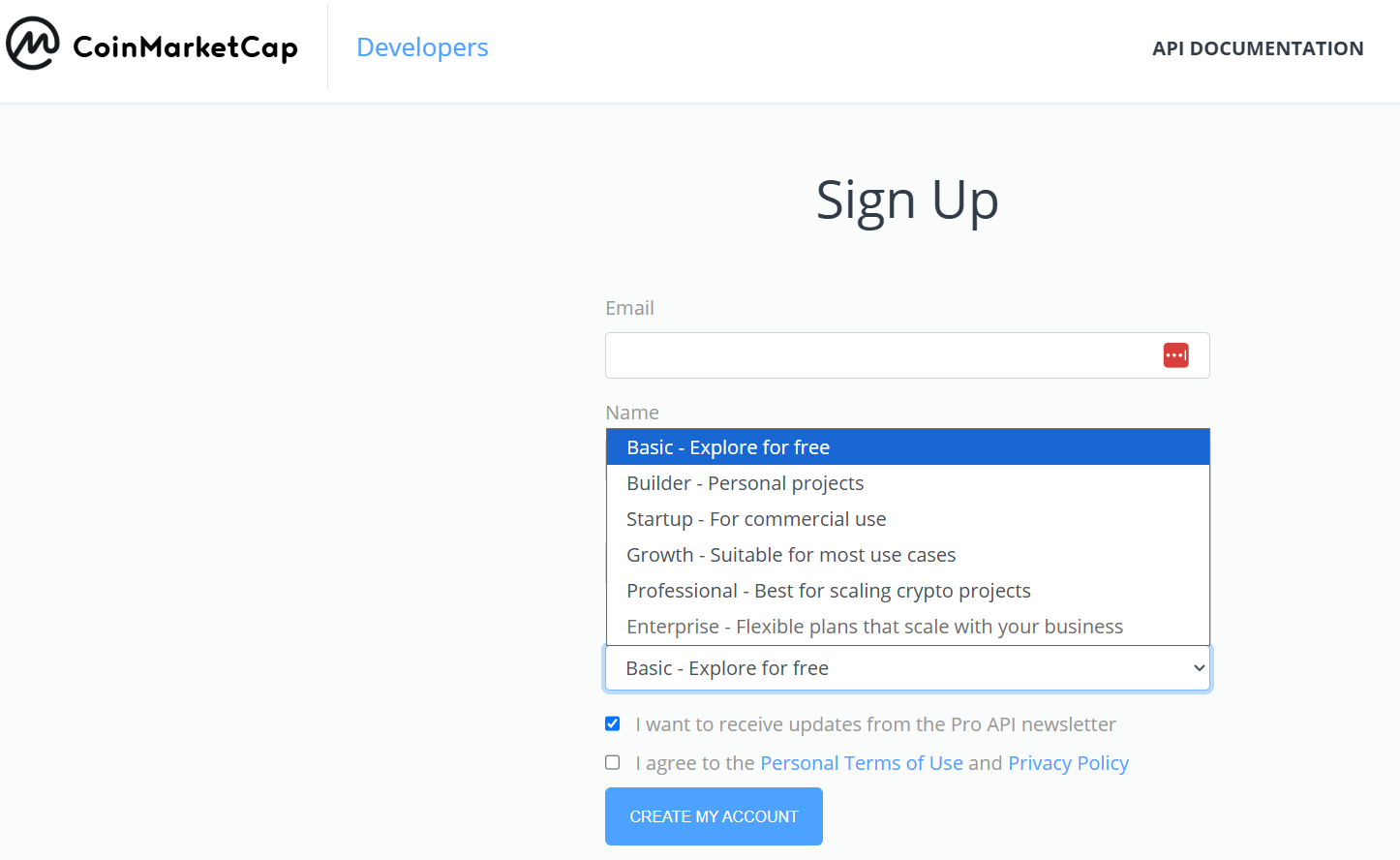
Step 3: Copy your API key
Your API key is available in the Developer Portal dashboard as soon as you sign up. From the dashboard you can also regenerate or disable the key at any time. Do this immediately if a key is ever committed to a public repository or otherwise exposed.
Step 4: Make your first authenticated request
Pass your key in the X-CMC_PRO_API_KEY header (this is the recommended method; a CMC_PRO_API_KEY query parameter also works but is less secure). A good first call is the latest listings endpoint:
curl -G "https://pro-api.coinmarketcap.com/v1/cryptocurrency/listings/latest" \
  --data-urlencode "start=1" \
  --data-urlencode "limit=10" \
  --data-urlencode "convert=USD" \
  -H "Accept: application/json" \
  -H "X-CMC_PRO_API_KEY: YOUR_API_KEY"
Notice the only difference from the keyless call: remove /trial-pro-api from the URL and add the header. The JSON envelope stays identical, so prototype parsing logic carries straight over.
Step 5: Read the response
Every response uses a consistent structure: a status object (with credit_count, error_code, timestamp, and elapsed time) and a data object with the actual payload. Always inspect status.credit_count, as it tells you exactly how many credits that call consumed.
{
  "status": {
    "timestamp": "2026-08-18T00:00:00.000Z",
    "error_code": 0,
    "error_message": null,
    "credit_count": 1
  },
  "data": [ /* ranked list of cryptocurrencies */ ]
}
Step 6: Call it from your language of choice
Python:
import requests

url = "https://pro-api.coinmarketcap.com/v1/cryptocurrency/quotes/latest"
headers = {
    "Accept": "application/json",
    "X-CMC_PRO_API_KEY": "YOUR_API_KEY",
}
params = {"symbol": "BTC,ETH", "convert": "USD"}

response = requests.get(url, headers=headers, params=params)
data = response.json()
print(data["data"]["BTC"]["quote"]["USD"]["price"])
Node.js:
const url = new URL("https://pro-api.coinmarketcap.com/v1/cryptocurrency/quotes/latest");
url.search = new URLSearchParams({ symbol: "BTC,ETH", convert: "USD" }).toString();

const response = await fetch(url, {
  headers: {
    "Accept": "application/json",
    "X-CMC_PRO_API_KEY": "YOUR_API_KEY",
  },
});
const data = await response.json();
console.log(data.data.BTC.quote.USD.price);
Step 7: Follow production best practices
A few habits will save you money and headaches:
- Keep the key server-side. CoinMarketCap blocks client-side browser requests to protect your key. Route calls through your own backend.
- Use stable numeric CoinMarketCap IDs, not ticker symbols. Multiple tokens can share a symbol, so IDs prevent mix-ups. Refresh the ID list with /v1/cryptocurrency/map (which costs 0 credits).
- Cache aggressively. Most endpoints refresh once per minute, so polling faster than that wastes credits without gaining fresh data.
- Handle rate limits and errors. A 429 means you hit a limit; error codes distinguish minute (1008), daily (1009), and monthly (1010) caps, while 1001/1002 indicate an invalid or missing key.
- Store your own timestamps alongside cached data so you know how stale each value is.
Full feature breakdown
CoinMarketCap organizes its endpoints into ten families. Access to each depends on your plan.
1. Coins & Tokens (/cryptocurrency/*)
The core of the API. Live quotes, ranked listings, market pairs, trending data (gainers, losers, most visited), price-performance statistics, metadata, and historical OHLCV/quotes. This is where most integrations spend the majority of their calls.
2. Derivatives (/cryptocurrency/derivatives/*)
Futures and perpetual-swap coverage: derivatives exchanges plus derivative market pairs by exchange and by cryptocurrency, surfacing open interest, funding rate, index price, and index basis. It is a research layer for leverage and sentiment (compare open interest across venues, monitor funding-rate divergence, and inspect index-basis gaps) rather than an execution feed.
3. Real-World Assets (RWA) (/real-world-assets/*)
CoinMarketCap’s newest endpoint family, added in August 2026, brings tokenized real-world assets into the same API and credit system as everything else. The suite is a set of seven RWA endpoints covering tokenized equities, commodities, currencies, government securities, ETFs, and real estate, and it launched with 7,937 tokenized RWAs available.
4. Exchanges (/exchange/*)
Exchange metadata, rankings, market pairs, historical exchange quote data, and exchange asset reserves (useful for proof-of-reserves style displays).
5. Global Metrics (/global-metrics/*)
Market-wide aggregates: total crypto market cap, total volume, Bitcoin dominance, and related indicators, with both latest and historical endpoints.
6. DEX Data (/dex/*)
On-chain decentralized-exchange coverage: token details, trading pairs, liquidity pools, platform data, holders, and OHLCV/K-line data. CoinMarketCap expanded this suite significantly in 2026, making it more competitive for on-chain and meme-token use cases.
7. AI Agent Hub (/x402/* and MCP)
Two protocol-level ways to connect AI agents to live CoinMarketCap data:
- MCP server (mcp.coinmarketcap.com/mcp) gives AI agents a structured, tool-friendly way to query market data, technical analysis, on-chain metrics, derivatives, news, and semantic search without wiring every REST call by hand.
- x402 enables pay-per-request access in USDC, for example /x402/v3/cryptocurrency/quotes/latest at roughly 0.01 USDC per call with a per-wallet rate limit, ideal for agents or occasional workloads that do not want a monthly subscription.
8. Trending Data (/community/trending/*)
Trending tokens and topics surfaced from the CoinMarketCap community, useful for sentiment and discovery features.
9. Content Data (/content/*)
Paginated crypto news, articles, and community posts, so you can embed a news feed alongside market data.
10. CMC Index (/index/*)
Latest and historical values for the CoinMarketCap 20 and CoinMarketCap 100 indices, benchmark-style products for broad-market tracking.
Additional capabilities
- WebSocket streaming for latest prices, available from the Startup tier upward (10 connections; Enterprise gets custom). Below that tier you poll REST.
- Currency conversion across 93 fiat currencies and 4 precious metals (XAU, XAG, XPT, XPD) via the convert parameter. Use /v1/fiat/map for the supported list.
- Utility endpoints like /v1/cryptocurrency/map and /v1/key/info that cost 0 credits, so you can refresh ID mappings and check usage for free.
- Security & compliance: ISO/IEC 27001 (information security) and ISO/IEC 27701 (privacy) certifications, independently assessed, applied across every tier from Basic to Enterprise.
Understanding the credit system (read this before you build)
This is the single most important thing to understand about the CoinMarketCap API, and the most common source of unexpected bills.
The core rule: 1 credit per 200 data points returned (rounded up), plus +1 credit for each additional currency conversion beyond the first.
Practical consequences:
- A single call can cost anywhere from 1 credit to 100+ credits depending on the parameters. Pulling many assets, paginating past large result sets, or requesting convert=USD,EUR,GBP all increase the count.
- Credits are tied to data returned, so “wide” queries that batch lots of assets and currencies into one request get more expensive, the opposite of a flat per-call model.
- A credit is charged even when the data has not changed since your last request, which can drain quotas faster than expected for apps that poll frequently.
- Some calls are free: utility endpoints like /cryptocurrency/map and /key/info cost 0 credits, and error responses do not consume credits.
- You can always verify the exact cost of any call by reading credit_count in the response’s status object.
Takeaway: estimate credits against a real workflow, not the headline “credits per month” number. Batch thoughtfully, cache results, and stick to a single conversion currency where possible.
CoinMarketCap API pricing plans (2026)
CoinMarketCap offers a free tier and five paid/enterprise tiers. Annual billing saves up to roughly 20% versus monthly. Confirm current numbers on the official CoinMarketCap API pricing page before you commit.
| Plan | Price (monthly) | Key limits & features | Best for |
|---|---|---|---|
| Basic | Free | 15,000 credits/mo, 50 req/min, roughly 60 endpoints, no historical data, commercial license included, no WebSocket | Prototyping and learning |
| Builder | $35 | 300 req/min, 3 years of historical data, commercial license | Indie developers needing history |
| Startup | $95 | WebSocket streaming (10 connections), real-time data | Real-time apps on a budget |
| Growth | $375 | Generous credit pool, higher rate limits, commercial license | Scaling platforms |
| Professional | $875 | Large credit pool, priority email support, commercial license | High-volume production |
| Enterprise | Custom | 24×7 Slack support, 99.9% SLA, dedicated infrastructure, bespoke licensing | Enterprises |
Notes and caveats:
- WebSocket and 10 connections are included from the Startup tier upward.
- Support scales from basic email (lower tiers) to priority email (Professional) to 24×7 Slack support with a 99.9% SLA and dedicated infrastructure (Enterprise).
- x402 pay-per-call exists outside the subscription ladder for agent and occasional workloads (priced per request in USDC).
Pros of the CoinMarketCap API
- Industry-standard brand and trust. Data used by Google, Binance, Coinbase, and Yahoo Finance, a strong reliability signal for teams that need a defensible data source.
- Broad, unified coverage. CEX quotes, DEX/on-chain data, derivatives context, global metrics, indices, trending, and content all through one consistent API and JSON envelope.
- Genuinely useful free tier. 15,000 monthly credits, 50 requests/minute, and 60 endpoints is enough to prototype seriously, and the keyless trial removes even the signup step.
- Stable numeric IDs that prevent the ticker-collision bugs common when tokens share a symbol.
- Enterprise-grade compliance with independently assessed ISO/IEC 27001 and 27701 certifications across all tiers.
- Strong, multi-language documentation with copy-paste examples in cURL, Python, Node.js, Ruby, and more.
- Forward-looking AI features. Native MCP server and x402 pay-per-call access put it ahead of many competitors for AI-agent workflows.
- Wide currency support: 93 fiat currencies plus 4 precious metals.
- Flexible billing with monthly or annual options, roughly 20% annual discount, prorated upgrades, and no long-term lock-in.
Cons and limitations
- WebSocket is gated. Real-time push streaming is not available on the free or entry paid tier; you are polling REST until at least Startup.
- Modest rate limits at the low end. 50 req/min on Basic and 300 on Builder can constrain higher-throughput apps sooner than expected.
- Server-side only. No client-side browser calls, so you must run a backend proxy (this is good security practice, but it is extra work for simple front-end projects).
- Cost can scale steeply for applications that fan out across many assets and currencies, relative to flat per-call competitors.
CoinMarketCap API vs alternatives
No single crypto data API wins for every use case. Here is an objective, high-level comparison to help you decide.
| Factor | CoinMarketCap API | CoinGecko API | Specialist APIs (CoinAPI, Kaiko, etc.) |
|---|---|---|---|
| Brand recognition | Very high | High | Lower / niche |
| Free tier | 15K credits, no history, commercial use | Comparable credits, some history, more endpoints | Usually trial/limited |
| Pricing model | Credit-based (varies per call) | Credit-based, flatter per-call, more expensive | Often usage/volume-based |
| Historical data | Paid tiers (from $35) | Available earlier on some plans | Deep, exchange-grade |
| DEX/on-chain | Expanded 2026 suite | Broad coverage | Varies |
| AI-agent features | MCP + x402 (native) | Growing | Varies |
| Best when | You want a trusted, recognized reference source with AI-native access | You want on-chain / DEX, NFT, and treasury data in standard tiers, easy no-card prototyping | You need exchange-feed engineering or an enterprise data program |
The honest summary: If brand trust, breadth, and AI-agent readiness matter most, CoinMarketCap is a leading choice. If you are cost-sensitive, batch many assets per call, or need generous historical data early, a flatter per-call model like CoinGecko’s often forecasts more predictably, and dedicated feed providers (CoinAPI, Kaiko) suit exchange-grade or institutional workloads better. Always price your actual workflow against two or three providers before committing.
Is the CoinMarketCap API worth it?
By user type:
- Prototypers and learners: Yes. Start free (or keyless) and validate your idea at zero cost.
- Indie developers / hobby projects needing history: Maybe. Budget for at least the $35 Builder tier (3 years of history) or compare alternatives with free historical data.
- Scaling platforms: Yes. Growth and Professional offer generous credit pools and higher rate limits; just model credit consumption carefully.
- Enterprises: Yes. Custom limits, SLA, dedicated infrastructure, and bespoke licensing address the gaps in the self-serve tiers.
- AI-agent builders: Strong yes. Native MCP and x402 support make it one of the more agent-ready data APIs available.
Frequently asked questions
Is the CoinMarketCap API free?
Yes. The Basic plan is free with 15,000 monthly call credits, 50 requests per minute, and 60 endpoints.
How do I authenticate CoinMarketCap API requests?
Pass your API key in the X-CMC_PRO_API_KEY HTTP header on every request to https://pro-api.coinmarketcap.com over HTTPS. A CMC_PRO_API_KEY query parameter also works but the header is recommended for production.
How much does the CoinMarketCap API cost?
Paid plans start at $35/month (Builder) and scale through $95 (Startup), $375 (Growth), and $875 (Professional), plus custom Enterprise pricing. Annual billing saves up to about 20%. Commercial licensing is included across all plans, from Basic to Professional.
How do CoinMarketCap API credits work?
You are charged roughly 1 credit per 200 data points returned (rounded up), plus 1 extra credit for each additional conversion currency. A single call can cost anywhere from 1 to 100+ credits depending on parameters. Check credit_count in each response to see the exact cost.
Can I use the CoinMarketCap API commercially?
Commercial licensing is included across all plans, from Basic to Professional.
How fresh is CoinMarketCap API data?
Most REST endpoints update on a roughly 1-minute cycle. For pushed real-time data, use WebSocket streaming (available from the Startup tier) rather than polling REST.
Does CoinMarketCap support AI agents?
Yes. It offers a native MCP server (mcp.coinmarketcap.com/mcp) for tool-based agent workflows and x402 pay-per-request access in USDC for agents and occasional workloads, so you do not need a monthly subscription to get started.
What’s the best CoinMarketCap API alternative?
CoinGecko is the most common alternative, generally offering a flatter per-call pricing model and more free historical data; specialist providers like CoinAPI and Kaiko suit exchange-grade or institutional workloads. The right choice depends on your credit budget, historical-data needs, and licensing requirements.
Final word
The CoinMarketCap API earns its reputation as a default choice for crypto market data: broad coverage, a trusted brand, strong documentation, real compliance certifications, and genuinely forward-looking AI-agent support. Its two real friction points are the credit model, which rewards careful, cached, single-currency querying and punishes wide batch calls, and the fact that meaningful historical data sits behind paid tiers.
For most teams, the smart path is to prototype free (or keyless), model your credit consumption against a realistic workload, and confirm current pricing and licensing on the official pricing page before you commit. Do that, and you will know exactly whether the CoinMarketCap API is the right foundation for your product, or whether a flatter-priced alternative fits your budget better.
Want to pair reliable market data with pre-trade analysis, chart-pattern recognition, and a powerful crypto screener? Explore the altFINS platform.
Pricing, plan names, endpoint counts, and limits are accurate to the best of our knowledge at time of writing and are subject to change. Always verify current details on CoinMarketCap’s official API pricing and documentation pages before making purchasing or architecture decisions. This review is informational and not financial or legal advice.