
Search Knowledge Base by Keyword
altFINS Preset Filters + MCP: Find Crypto Trade Opportunities in Plain English
A practical, copy-paste workflow for using altFINS preset filters through the altFINS MCP server and Claude Desktop — with three live trade setups pulled from today’s market.
Most crypto traders waste hours clicking through screener menus, memorizing preset codes, and copy-pasting tickers between tabs. With the altFINS Model Context Protocol (MCP) server connected to Claude AI, that workflow collapses to a single conversation. You describe the trade setup you want; Claude picks the right preset filter from altFINS’s 150+ curated strategies, runs it against live market data, and hands back a ranked, decision-ready shortlist.
This guide shows the exact workflow, the preset categories that produce the highest signal-to-noise, and three real examples generated while writing this article.
Why Preset Filters Beat Manual Screening
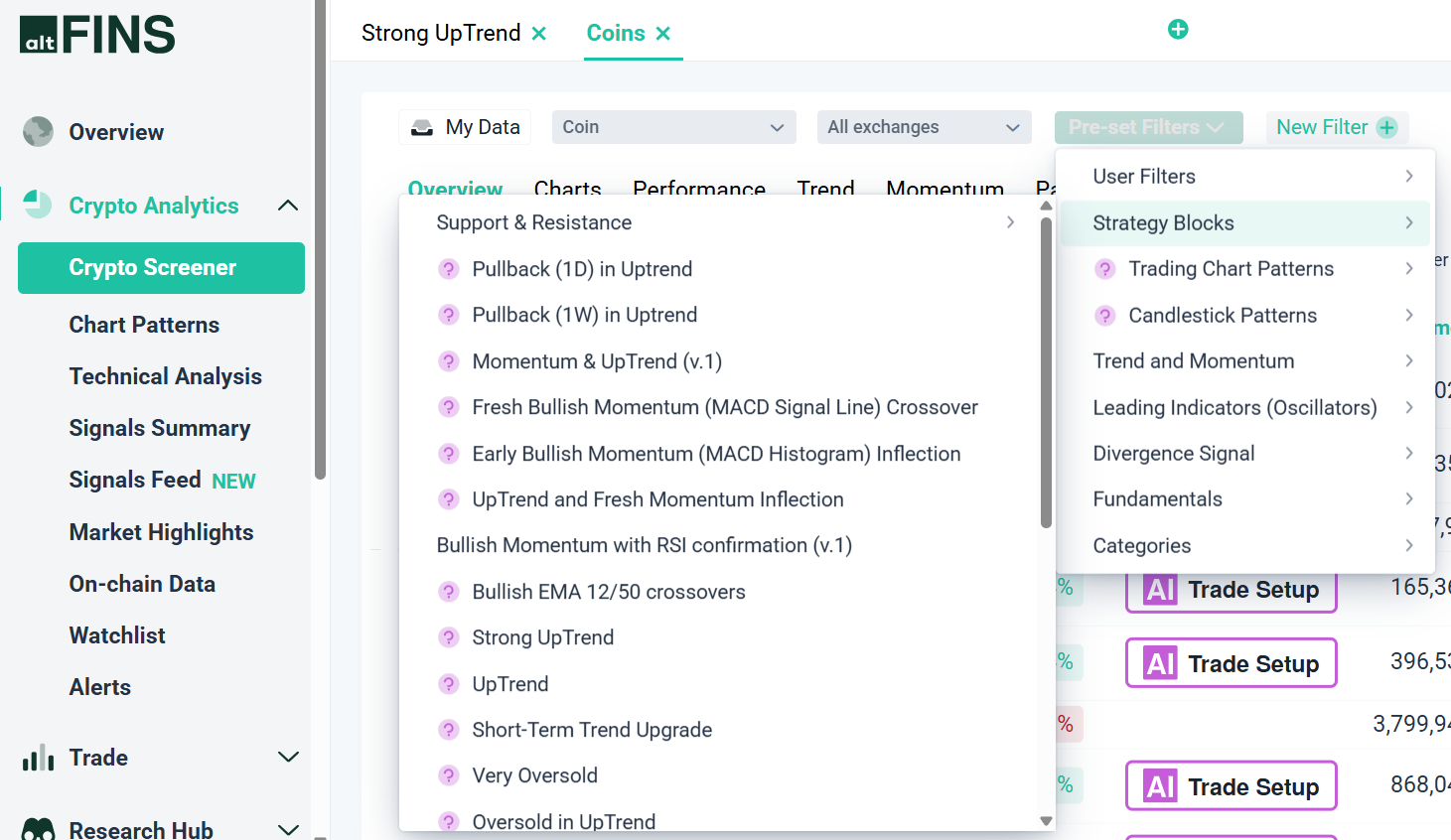
A preset filter is a pre-built combination of indicators that defines a specific technical setup. Instead of manually configuring RSI thresholds, trend scores, MACD crossovers, and volume conditions, you call a single preset that encodes the entire recipe.
— We have explained preset filters in this article.
You can use any of these directly in the altFINS Crypto Screener. The breakthrough with MCP is that you no longer need to remember the preset codes. You describe the setup, and Claude maps it to the right filter.
The Three-Step Workflow
This pattern works for any preset on the platform. It keeps you focused on trade ideas instead of filter mechanics.
Step 1 — Describe the Setup, Not the Filter
Tell Claude what kind of trade you’re hunting for in trader language. Examples: “oversold coins that are still in a confirmed uptrend”, “resistance breakouts with above-average volume”, “DeFi tokens with growing TVL”. Skip the preset codes. Claude handles the translation.
Step 2 — Specify the Columns That Drive the Decision
A ticker list alone is useless. Ask for the metrics you actually use to evaluate a trade: market cap (to filter illiquid names), short and medium-term trend scores, RSI14, recent price change, and relative volume. These five columns alone separate clean setups from noise.
Step 3 — Pick the Winners
Ask Claude to highlight the cleanest setups and flag the obvious passes. The model is good at spotting when a “breakout” is actually still in a downtrend, or when an “oversold” coin is dying rather than dip-buyable.
Three Live Examples From Today’s Market
All data below was pulled live from the altFINS MCP server. Use it to see how the workflow plays out across three completely different setup categories.
Example 1: Oversold Coins in a Confirmed Uptrend
This is the textbook “buy the pullback” setup: a coin in a strong medium-term uptrend that has corrected hard enough to flash oversold on short-term RSI. The preset returned only three names — and that scarcity is itself a useful signal about current market conditions.
| Symbol | Market Cap | RSI14 | 1W | 1M | Short Trend | Medium Trend |
|---|---|---|---|---|---|---|
| BLUAI | $11.9M | 39.5 | -28% | -12% | Down (4/10) | Strong Up (9/10) |
| FAR | $11.3M | 35.5 | -20% | -9% | Down (2/10) | Up (7/10) |
| AFC | $7.9M | 32.6 | -31% | -8% | Strong Down (1/10) | Strong Up (10/10) |
Every row shares the same structure: short-term trend has rolled over, medium-term trend is still intact. That is the pullback-buy setup in its purest form. Whether you’d actually trade these is a separate decision — all three are sub-$15M caps with real liquidity risk — but the preset surfaced exactly the structure it promised.
Example 2: Resistance Breakouts With Confirming Volume
Different idea: coins that just punched through a resistance level, ideally with volume backing the move. Adding Relative Volume to the requested columns separates conviction breakouts from suspicious ones.
| Symbol | Market Cap | RSI14 | 1W | Rel. Volume | Trend |
|---|---|---|---|---|---|
| NEAR | $2.17B | 71.4 | +11% | 1.27x | Strong Up (10/10) |
| HTX | $1.81B | 79.5 | +3% | 1.10x | Strong Up (10/10) |
| 2Z | $338M | 67.9 | +10% | 2.61x | Up (8/10) |
| LIT | $310M | 74.0 | +54% | 1.77x | Strong Up (10/10) |
| TRAC | $212M | 69.4 | +37% | 2.75x | Strong Up (10/10) |
Triage in seconds: NEAR and HTX broke out on modest volume (1.1x to 1.3x average) — the move is real but unenthusiastic. 2Z, LIT, and TRAC ran 1.8x to 2.8x normal volume, the kind of conviction that tends to extend rather than fade. LIT and TRAC are already RSI-extended, so a pullback entry beats a chase entry.
That’s the entire screening process: one preset, one column choice, 90 seconds of decision-making.
Example 3: Pure Oversold (And Why It’s a Trap Without Context)
For contrast, here’s what happens when you screen on RSI alone with no trend filter. The preset returns 100+ names — and almost every one is in a Strong Down (0/10) trend on both timeframes.
| Symbol | Market Cap | RSI14 | 1W | 1M | Trends |
|---|---|---|---|---|---|
| BCH | $7.4B | 27.6 | -13% | -15% | Strong Down / Strong Down |
| TRUMP | $485M | 27.9 | -13% | -28% | Strong Down / Strong Down |
| CHIP | $105M | 3.2 | -93% | -99.96% | Strong Down / Strong Down |
| TORN | $30M | 28.3 | -11% | -30% | Strong Down / Strong Down |
The takeaway: a low RSI is not a buy signal on its own. Most oversold coins are oversold because they’re trending down — and trending instruments can stay oversold for weeks.
Key insight: Example 1 returned 3 names. Example 3 returned 100+. Same RSI condition. The trend filter does 90% of the work. This is exactly the kind of distinction that gets lost when you click presets at random — and surfaces clearly when you describe the setup in plain English to Claude.
Ready-to-Use Prompts
Copy any of these directly into Claude with the altFINS MCP connected. Each one targets a different setup type.
Pullback buy setups:
“Find me oversold coins that are still in a confirmed medium-term uptrend. Show RSI, both trend scores, 1-week and 1-month price change, and market cap. Sort by market cap. Flag anything under $20M as liquidity-risky.”
Conviction breakouts:
“Show me coins breaking out above resistance, ranked by relative volume. I want at least 1.5x average volume and a Strong Up short-term trend. Include RSI so I can spot anything already overheated.”
DeFi fundamentals:
“Show me DeFi tokens with growing TVL over the last 30 days. Include market cap, TVL, MCap/TVL ratio, and short-term trend. Sort by TVL growth descending.”
Chart pattern hunters:
“Find ascending triangle patterns on the daily timeframe. For the top 5 by market cap, run a technical analysis pull so I get the analyst view of pattern stage and near-term outlook.”
For more advanced multi-filter prompts, see the altFINS guide on 8 AI-Powered Trade Strategy Prompts Using altFINS MCP.
How to Set It Up
Three steps to get the preset workflow running:
- Create an altFINS account and generate an API key from your dashboard.
- Add the altFINS MCP server to Claude Desktop using the configuration in the official connection guide.
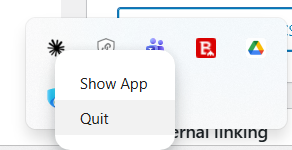
- Quit Claude Desktop, open it again, and start prompting in plain English.
See MCP documentation
See Pre-set filter documentation
If you prefer staying inside the altFINS platform, the altFINS AI Copilot offers the same natural-language screener experience natively, without any external setup.
Three Honest Limitations
A preset is a starting filter, not a thesis. Every screen surfaces tokens that look great on paper and are untradeable in practice — illiquid, manipulated, or fundamentally weak. Treat output as a watchlist, never as a buy list.
Timeframe matters and is often invisible in the preset name. Most presets default to the daily candle. Scalpers on 15-minute charts need different presets and different display types. The MCP integration accepts a timeInterval parameter — use it.
Verify before retrying. If a prompt returns nothing, ask Claude to confirm the preset name exists in altFINS before retrying with variations. Hallucinated preset codes are the most common failure mode.
The Bigger Picture
The interesting shift here isn’t speed. Speed is the surface benefit. The real change is in what kind of question you can practically ask a screener.
Before MCP: “let me click through ten presets and see what catches my eye.” After MCP: “give me oversold names in confirmed uptrends, ranked by liquidity, with trend scores and RSI displayed, and flag anything under $20M market cap.”
That’s a different relationship with the tool. You stay in idea-space. The screener handles translation. The trade ideas surface faster, cleaner, and with the context you need to act on them.
Get Started With altFINS MCP
Connect altFINS’s 150+ preset filters, 120+ trading signals, and full analytics engine to Claude AI. Run live screens in plain English and find trade setups in seconds, not hours.
Disclaimer: Examples in this article illustrate the workflow only — they are not trade recommendations. Crypto markets are volatile and small-cap tokens carry substantial liquidity and counterparty risk. Always conduct your own research before trading.