
Search Knowledge Base by Keyword
Crypto Hot Wallet vs. Cold Wallet: What is the Difference
Last updated: October, 2026 | Reading time: 11 min | Category: Crypto Basics
A crypto wallet is the tool that gives you control over your coins. Pick the wrong one, or set it up carelessly, and a single phishing link can empty it in seconds. Pick the right setup and your crypto stays safe for years, while you still trade fast when the market moves.
This guide is fully updated for 2026. It explains how crypto wallets work, the real difference between a hot wallet vs cold wallet, custodial vs non-custodial storage, the best hardware wallets on the market today, and how to track every wallet you own in one place with altFINS Portfolio.
⚡ Quick Answer
A crypto wallet stores the private keys that prove you own your coins. Hot wallets (apps and browser extensions) are online, free and fast, so they suit active trading. Cold wallets (hardware devices) keep keys offline, cost about $50 to $400, and are the safest way to hold crypto long term. Most experienced investors use both: a small hot wallet for trading and a cold wallet for savings.
✅ Key Takeaways
- Your wallet does not hold coins. It holds the keys. Whoever has the seed phrase controls the funds.
- Exchange accounts are custodial. A self-custody wallet means nobody can freeze or lose your assets except you.
- In 2026, most losses come from phishing, wallet drainers and blind signing, not from broken cryptography.
- Always confirm the address and amount on the hardware wallet screen, never only on your computer.
- Use the 80/20 rule: long-term holdings in cold storage, trading capital in a hot wallet or exchange.
Secure wallet ✔ Now find the right coins
Scan 2,000+ cryptocurrencies by trend, momentum and volume with the altFINS Crypto Screener.
📑 In This Guide
- What is a crypto wallet?
- How a crypto wallet works: public key, private key, seed phrase
- Custodial vs non-custodial wallets
- What is a hot wallet?
- What is a cold wallet?
- Hot wallet vs cold wallet: comparison table
- Best cold wallets in 2026
- Best hot wallets in 2026
- Crypto wallet security checklist
- Which wallet should you choose?
- Track your wallets in altFINS in 3 steps
- FAQ
What Is a Crypto Wallet?
A crypto wallet is software or a physical device that stores the cryptographic keys you need to send, receive and manage digital assets such as Bitcoin, Ethereum, stablecoins and NFTs. Your coins always live on the blockchain. The wallet simply proves that you are allowed to move them.
Wallets come in several forms:
- Mobile apps for iOS and Android
- Browser extensions for Chrome, Brave or Firefox, used to connect to DeFi apps
- Desktop apps for Windows, macOS and Linux
- Hardware wallets, small offline devices built for long-term storage
- Smart contract wallets with passkeys, spending limits and social recovery, now widely available on Ethereum after the 2025 Pectra upgrade
Keeping all of your crypto on an exchange is convenient, but it means trusting a third party with your money. Exchange collapses, frozen withdrawals and large hacks (including the roughly $1.5 billion Bybit breach in February 2025) are the reason the crypto community repeats one phrase: “not your keys, not your coins.”
How a Crypto Wallet Works: Public Key, Private Key and Seed Phrase
Every non-custodial wallet is built on three elements. Understanding them is the single best protection against losing funds.
| Element | What it is | Can you share it? |
|---|---|---|
| Public address | Your receiving address, similar to an IBAN or email address | ✅ Yes |
| Private key | The secret that signs transactions and proves ownership | ❌ Never |
| Seed phrase | 12 or 24 recovery words that regenerate all of your private keys | ❌ Never |
⚠️ Important: Unlike a bank, no one can reset your password. If you lose your seed phrase, your funds are gone. If someone else sees it, they can take everything. No real support agent, exchange or wallet company will ever ask for it.
Custodial vs Non-Custodial Crypto Wallets
Before choosing between hot and cold storage, decide who holds the keys.
Custodial wallet
A third party, usually an exchange such as Binance, Coinbase or Kraken, holds the keys for you. You log in with an email and password, and you can reset access if you forget it. It is easy and well suited for active trading, but the platform can freeze withdrawals, require identity checks or be hacked. If you trade on exchanges, you can connect your exchange accounts to altFINS and manage everything from one dashboard.
Non-custodial (self-custody) wallet
You are the only person with the keys. Nobody can block your funds, and you can use DeFi, staking and decentralized exchanges (DEXs) directly. The trade-off is full responsibility: backups and security are entirely on you.
| Feature | Custodial | Non-custodial |
|---|---|---|
| Who holds the keys | The platform | You |
| Password recovery | Yes | Only with your seed phrase |
| Withdrawal freezes | Possible | Not possible |
| DeFi and DEX access | Limited | Full |
| Best for | Beginners, active traders | Long-term holders, DeFi users |
What Is a Hot Wallet?
A hot wallet is any crypto wallet connected to the internet. Keys are stored in an app on your phone, computer or browser. Hot wallets are free, take two minutes to set up and let you swap, stake or send crypto instantly.
✅ Pros
- Free to use
- Fast access for trading, DeFi and NFTs
- Built-in swaps, staking and multi-chain support
❌ Cons
- Exposed to malware, fake apps and phishing sites
- One malicious signature can approve a wallet drainer
- Only as secure as the device it runs on
Popular hot wallets in 2026 include MetaMask, Phantom, Trust Wallet, Rabby, Exodus, Base App (formerly Coinbase Wallet), Electrum and Zengo.
What Is a Cold Wallet?
A cold wallet keeps your private keys offline, usually on a dedicated hardware device. When you send crypto, the transaction is prepared on your phone or computer, then signed inside the device. The private key never touches the internet, so even an infected computer cannot steal it.
Modern hardware wallets look like a USB stick, a credit card or a small touchscreen phone. Many now connect via Bluetooth, NFC or QR codes, and some, such as Keystone, are fully air-gapped.
✅ Pros
- Keys stay offline and are protected by a secure chip and PIN
- Every transaction must be physically approved on the device
- The safest option for long-term holdings
❌ Cons
- Costs roughly $50 to $400
- Slower for frequent trading
- Still vulnerable if you lose the seed phrase or approve a malicious transaction
💡 Pro tip: Paper backups burn, fade and get wet. Store your seed phrase on a steel backup plate (for example Cryptosteel, Billfodl or a Keystone Tablet) and keep it somewhere separate from the device.
Already holding coins on a hardware wallet? Learn how to add coins from a cold wallet to altFINS so you can track their value without exposing your keys.
Hot Wallet vs Cold Wallet: Side-by-Side Comparison
| Criteria | 🔥 Hot wallet | 🧊 Cold wallet |
|---|---|---|
| Internet connection | Always online | Offline, connects only to sign |
| Security level | Medium | High |
| Cost | Free | About $50 to $400 |
| Speed | Instant | A few extra steps |
| Main risks | Malware, phishing, drainers | Lost seed phrase, blind signing |
| Best for | Trading, DeFi, small balances | Long-term holdings, large balances |
📈 Trading from your hot wallet? Trade with a plan.
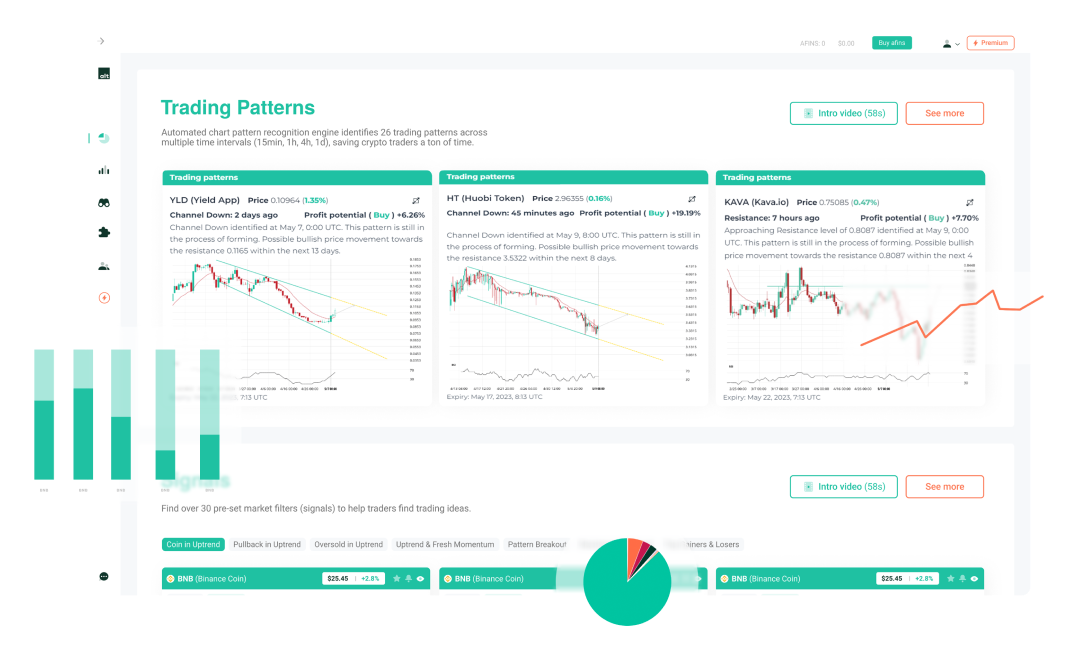
altFINS detects chart patterns automatically and shows bullish and bearish trading signals across thousands of coins, so you know where to enter, where to exit and where to place your stop loss.
Best Cold Wallets for Crypto Storage in 2026
The hardware wallet market has changed a lot since 2024. Ledger refreshed its range with the Nano Gen5, Trezor launched the Safe 7 with post-quantum ready features, and touchscreens with clear signing are now standard at the mid-range. Here are the most trusted options.
| Wallet | Key models | Approx. price | Best for |
|---|---|---|---|
| Ledger ⭐ | Nano S Plus, Nano Gen5, Flex, Stax | $79 to $399 | Widest coin support, mobile users |
| Trezor ⭐ | Safe 3, Safe 5, Safe 7 | $79 to $249 | Open-source fans, Bitcoin and Ethereum holders |
| Keystone | Keystone 3 Pro | About $149 | Fully air-gapped QR signing |
| BitBox | BitBox02 | About $150 | Simple, Swiss-made, minimalist design |
| Tangem | Tangem Wallet (card set) | About $55 to $70 | Beginners, tap-to-sign with NFC |
| SafePal | S1 Pro, X1 | About $50 to $90 | Budget buyers |
| Coldcard | Mk4, Q | About $150 to $250 | Bitcoin-only, advanced users |
| Ellipal | Titan 2.0 | About $170 | Air-gapped, tamper-resistant metal body |
Prices are indicative as of October 2026 and change often. Always buy directly from the manufacturer’s official store, never from marketplaces or second-hand sellers, as pre-configured devices are a known scam.
Best Hot Wallets in 2026
- MetaMask: the standard for Ethereum and EVM chains, now with Solana and Bitcoin support.
- Phantom: the leading Solana wallet, also supporting Ethereum, Base and Bitcoin.
- Rabby: a DeFi-focused extension with transaction previews that warn you before risky approvals.
- Trust Wallet: a beginner-friendly mobile wallet covering 100+ blockchains.
- Exodus: a polished desktop and mobile wallet that pairs with Trezor.
- Electrum: a lightweight, long-running Bitcoin-only desktop wallet.
- Zengo: an MPC wallet with no seed phrase to write down.
Most of these connect to a hardware wallet, giving you the convenience of a hot wallet interface with the security of offline keys. Want to find the best price across DEXs when you swap? Read our guide to the DEX cryptocurrency aggregator.
Crypto Wallet Security Checklist for 2026
Billions of dollars were stolen from crypto users in 2025, and attacks on personal wallets grew faster than attacks on platforms. These rules block the vast majority of them.
- Write your seed phrase offline. Never photograph it, type it into a website or save it in the cloud or a password manager.
- Verify on the device screen. Check the receiving address and amount on your hardware wallet before you approve. The 2025 Bybit hack happened because signers trusted what their computer showed them.
- Avoid blind signing. If the wallet cannot show what you are approving in plain language, do not sign it.
- Revoke old token approvals regularly with a tool such as Revoke.cash.
- Watch for address poisoning. Never copy an address from your transaction history. Use saved contacts and check the full address, not just the first and last characters.
- Bookmark official sites and ignore wallet links from search ads, DMs and “support” accounts on X, Telegram or Discord.
- Use a burner wallet for airdrops, mints and new DeFi apps, separate from your main holdings.
- Stay private. Do not post your holdings publicly. Physical “wrench attacks” on known holders are rising.
Which Crypto Wallet Should You Choose?
| If you are… | Recommended setup |
|---|---|
| A beginner with under $1,000 | A reputable exchange or a mobile hot wallet. Learn the basics first. |
| A long-term investor | A hardware wallet plus a steel seed backup. |
| An active trader | Exchange or hot wallet for trading capital, cold wallet for profits. |
| A DeFi user | Rabby or MetaMask connected to a Ledger or Trezor, plus a burner wallet. |
| A large holder | Multisig across two or three hardware wallets from different brands. |
A wallet keeps your crypto safe, but it does not tell you what to buy or when to sell. That is where research comes in. Use the altFINS Crypto Screener to filter coins by uptrend, oversold RSI or unusual volume, and check our curated technical analysis for trade setups on the top altcoins. New to screening? Start with why use a coin screener.
Track Your Crypto Wallets in altFINS in 3 Easy Steps
Holding coins across a hardware wallet, MetaMask and two exchanges makes it hard to see your real performance. altFINS brings everything into one portfolio view, using only public addresses. Your private keys and seed phrase are never needed.
1Log in to your altFINS account, or create one for free.
2Open Accounts and select the Wallets tab.
3Add your wallet by pasting its public address or connecting MetaMask. Your balances appear in altFINS Portfolio automatically.
For a detailed walkthrough with hardware wallets, see how to add coins on a cold wallet.
All your wallets. One dashboard. Smarter trades.
Track your portfolio, spot chart patterns and get signals on 2,000+ coins with altFINS.
Frequently Asked Questions
What is the difference between a hot wallet and a cold wallet?
A hot wallet is connected to the internet and stores keys in an app, which makes it fast but more exposed to hacks. A cold wallet stores keys offline on a hardware device, which makes it slower to use but far more secure for long-term storage.
Is a cold wallet worth it?
If you hold more crypto than you would be comfortable losing, yes. A $79 to $150 device is cheap insurance compared with the cost of a single hack.
What happens if I lose my hardware wallet?
Your crypto is safe as long as you have your seed phrase. Buy a new device, from the same brand or another compatible one, enter the recovery words and your funds reappear. Without the seed phrase, the funds cannot be recovered.
Can a cold wallet be hacked?
The keys inside are extremely hard to extract. In practice, losses happen when users reveal their seed phrase, buy a tampered device or approve a malicious transaction without checking the device screen.
Is an exchange account a crypto wallet?
It is a custodial wallet. The exchange holds the keys and can restrict withdrawals. It is useful for trading, but it is not self-custody.
What is the safest crypto wallet in 2026?
For most people, a hardware wallet from Ledger or Trezor bought directly from the official store, combined with a steel seed backup. For large amounts, a multisig setup with devices from different brands adds another layer of protection.
Do I need a separate wallet for each cryptocurrency?
No. Most modern wallets are multi-chain and hold Bitcoin, Ethereum, Solana, stablecoins and thousands of tokens under a single seed phrase.
The Bottom Line
The best crypto wallet setup in 2026 is not one wallet but two: a cold wallet for the coins you plan to hold, and a hot wallet or exchange for the capital you actively trade. Protect your seed phrase, confirm every transaction on the device, and never sign what you do not understand.
Once your crypto is secure, put it to work with a clear strategy. Explore the Crypto Screener, follow automated chart patterns, learn how to trade using chart patterns, and stay ahead of the market with altFINS crypto news.
Disclaimer: This article is for educational purposes only and is not financial advice. Product prices and features are subject to change. altFINS is not affiliated with the wallet providers mentioned. Always do your own research before buying a device or moving funds.